
word salad
How to Play Word Salad: Swiping, Themes, and Falling Letters
Learn how to play Word Salad by Bleppo LTD: how swiping reveals themed words, why letters fall away, what the hint system does, and which rules are verified.
How to Play Word Salad: Swiping, Themes, and Falling Letters
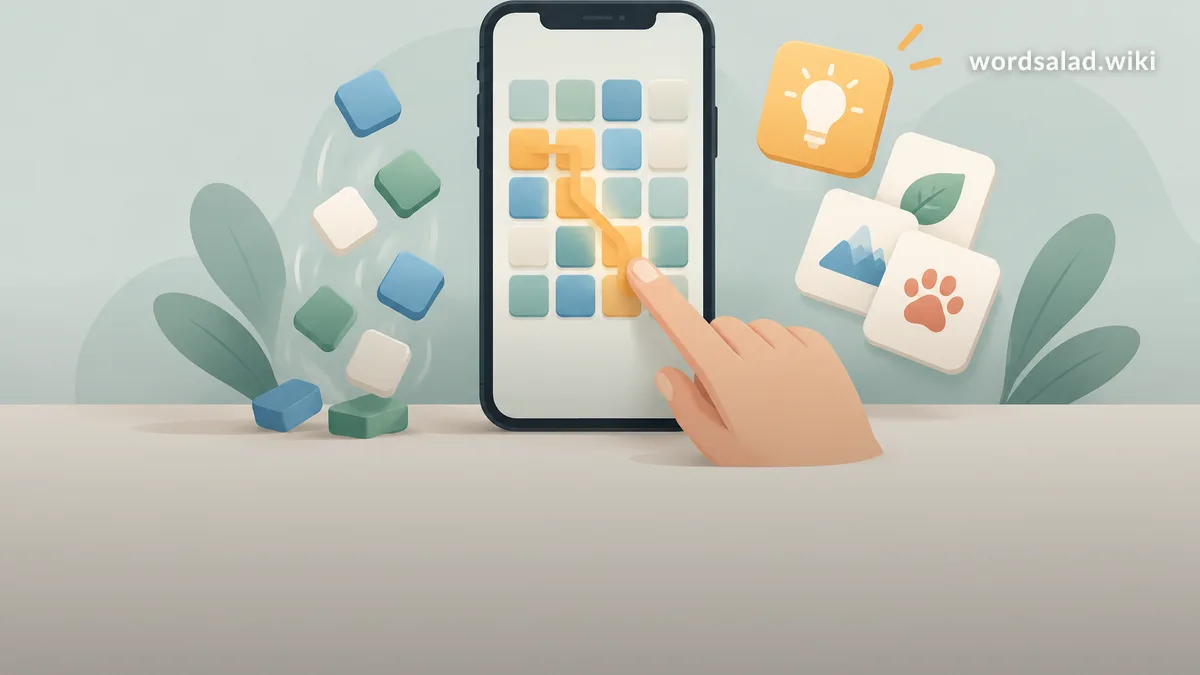
Word Salad is a free daily word puzzle from developer Bleppo LTD, playable in a browser at wordsalad.online and through the official iOS and Android apps. Learning how to play Word Salad takes about a minute: you swipe across a grid of letters to uncover the words hidden inside a themed puzzle, and the letters you use fall away as you find them. This guide covers the mechanics the developer actually documents, and clearly labels everything else as community strategy rather than fact.
What is Word Salad?
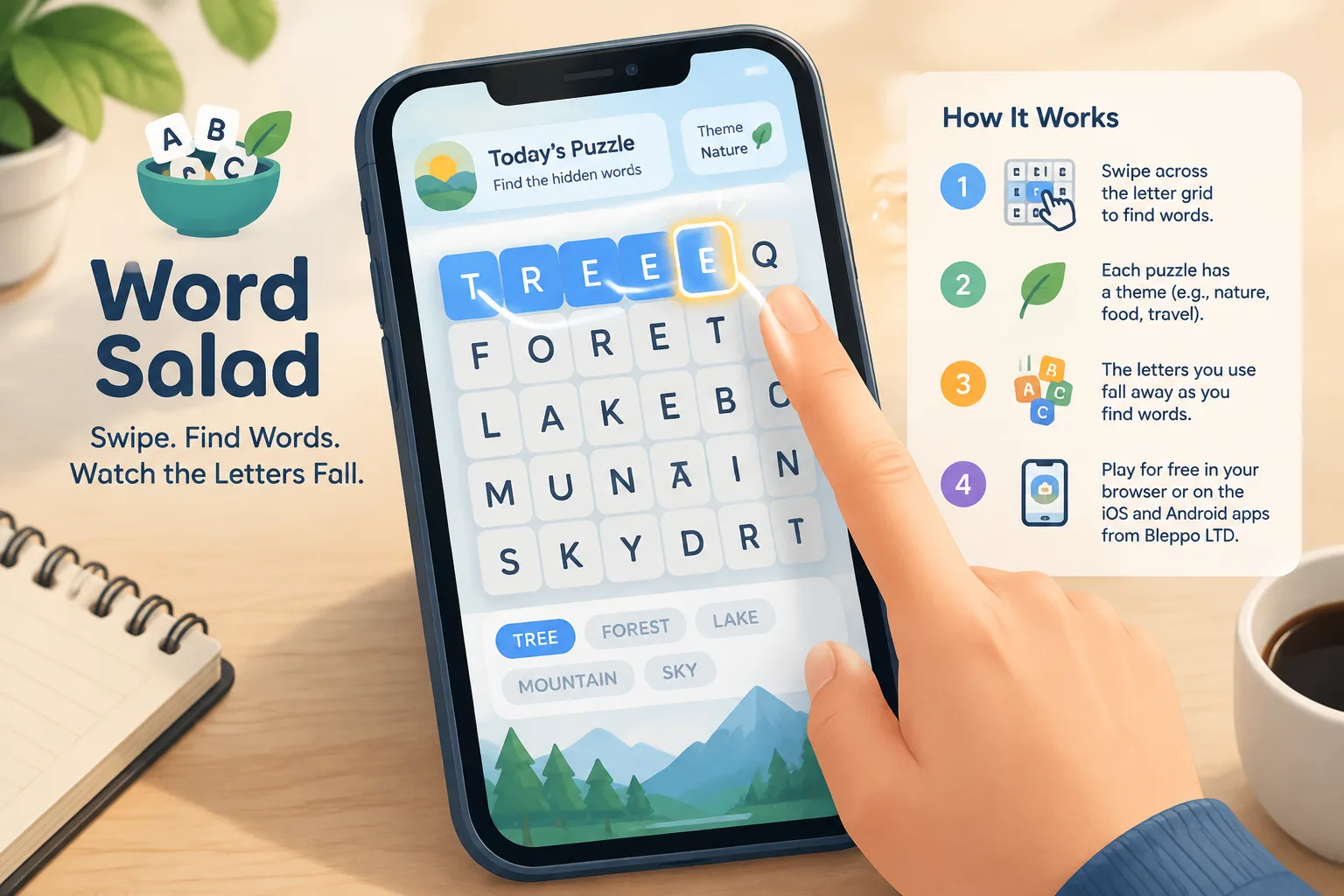
Word Salad is a free daily word puzzle published by Bleppo LTD for iOS, Android, and the browser. Each puzzle hides a set of words inside a letter grid, and every hidden word connects to one shared theme. The developer describes the challenge as requiring “both logic and general knowledge,” because the theme category is itself part of the puzzle rather than decoration around it.
What do you actually do in a Word Salad puzzle?
You swipe across the letter grid to reveal the words hidden in that puzzle. Each accepted word is tied to the day’s theme, and the tiles you used fall away from the board, which changes the paths available for the next word. You repeat that loop until the grid gives up all of its words.
How does swiping work on the letter grid?
Swiping is the only input method — there is no keyboard and no typing. You press on a tile and drag across the grid, tracing the word you want to submit. When the path spells a word the puzzle is looking for, the game accepts it and the letters in that word fall away.
Where should a swipe start, and how long should it be?
Start on a tile that could plausibly belong to a theme word, and keep your finger in contact with the screen until the whole word is traced. Official copy does not publish a minimum or maximum word length, and it does not state whether diagonal or backwards paths count, so treat any specific rule about length or direction as unverified until you test it in the live puzzle.
What happens to the grid when letters fall away?
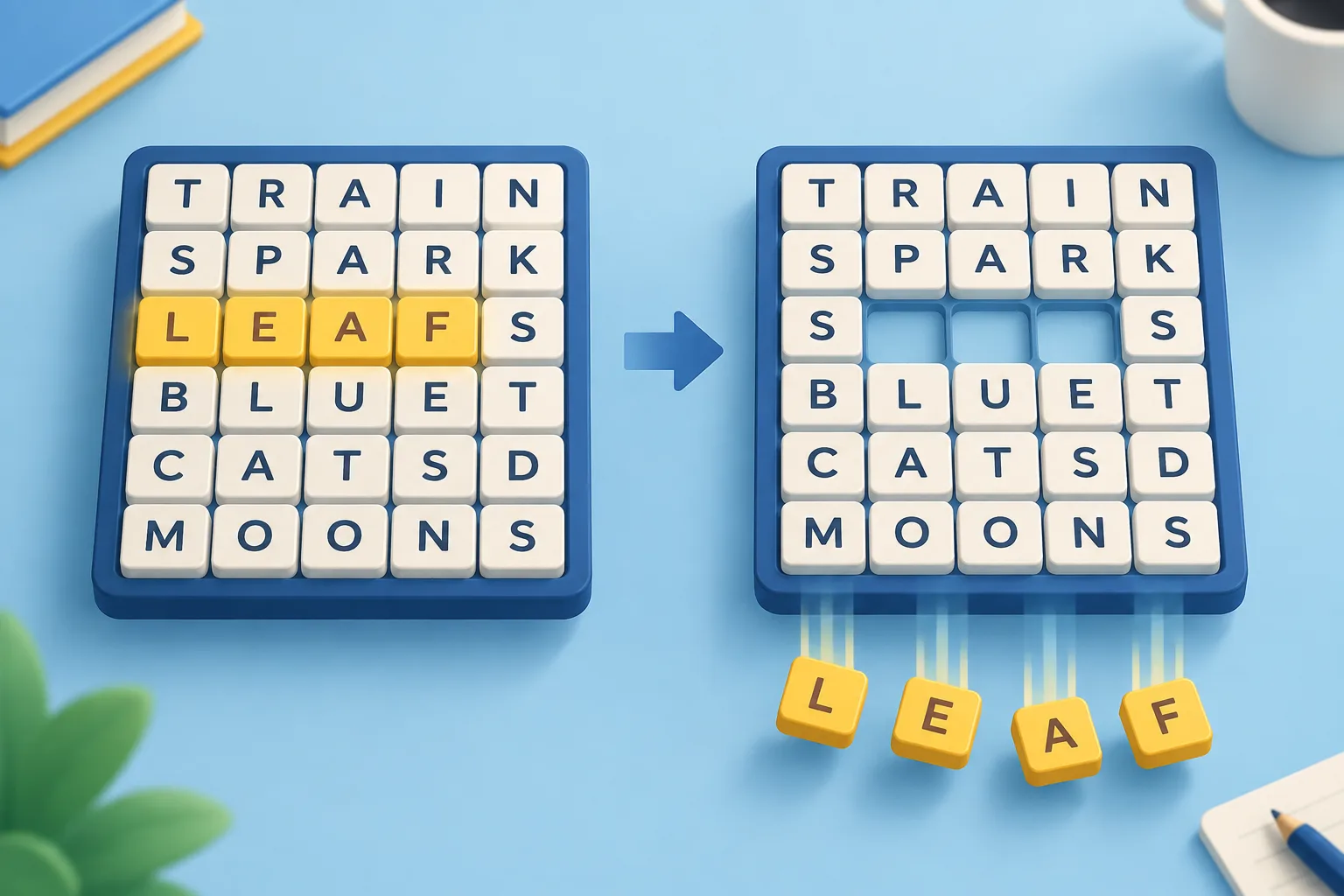
When a word is accepted, its letters fall away and leave gaps in the board. Those gaps change which tiles sit next to each other, so the same grid supports different words at different stages of a solve. The official description does not say whether remaining tiles slide together or stay anchored — check the current build to see how it behaves.
How do Word Salad themes work?
The theme is the organising idea of every puzzle. All the hidden words belong to one category family, and the developer’s own description makes clear that the category is part of the challenge — you are applying general knowledge as well as spotting letter patterns. That is why a grid can look unsolvable until the theme clicks into place.
Because the theme carries so much weight, a fast way to calibrate your expectations is to skim recent grids in the Word Salad archive and notice how broad or narrow the categories usually are. Some days the family is wide enough that half the board looks possible; other days it is narrow enough that only a handful of words fit.
What counts as a word in Word Salad?
A word counts when it appears on that puzzle’s curated list and fits the theme. Word Salad puzzles are presented as hand-crafted daily puzzles rather than a raw dictionary dump, so an obscure entry that only exists in a very large dictionary is unlikely to be accepted. A rejected word usually is not on that grid’s list.
Why was my perfectly good word rejected?
Three practical reasons cover most cases. First, the word may not fit the theme even though it is a real English word. Second, the puzzle list is curated, so it may simply not include that entry. Third, regional spelling variants — the extra “u” in colour, or an “-ise” ending — are not documented as accepted or rejected, so if one spelling fails, try the other before deciding the game is broken.
How does the hint system work in Word Salad?
Word Salad includes a hint system, and the developer describes it as nudging players without ruining the fun. What a hint actually reveals — a single letter, a word length, or a theme nudge — is not spelled out in official copy, so treat any precise claim about hint behaviour as unverified. For spoiler-light daily help, use the daily hints page, which leads with gentle clues before anything resembling an answer.
How does a puzzle end?
A puzzle ends when every word the grid is hiding has been found. The developer’s description focuses on the reveal-and-fall moment rather than on scoring, and no timer, star rating, or point total appears in the official copy, so any scoring system you read about elsewhere should be treated as unverified. Watching the last letters drop away is the reward.
Verified mechanics vs community strategy
Every claim on this page sits in one of two buckets. When it can be traced to the developer’s own description or to the live build, it is marked verified. When it comes from player discussion or extrapolation, it is marked not documented — and that label stays until the game itself confirms otherwise. You can see the same honesty standard on the basics page.
| Claim | Status | Where it comes from |
|---|---|---|
| You swipe the letter grid to reveal hidden words | Verified | Developer’s official game description |
| Letters fall away once a word is accepted | Verified | Developer’s official game description |
| The theme category is part of the puzzle | Verified | Developer notes solving needs logic and general knowledge |
| A hint system exists | Verified | Developer references hints that nudge without ruining the fun |
| Word Salad is a free daily puzzle | Verified | Official browser version and app listings |
| Redeem codes exist | Does not exist | The game has no codes mechanism at all |
| Timer, scoring, or star ratings | Not documented | No mention in official copy |
| Diagonal or backwards swipes allowed | Not documented | Test in the current build |
| Minimum or maximum word length | Not documented | Test in the current build |
| What a hint specifically reveals | Not documented | Official copy does not specify |
Which platforms can you play Word Salad on?
| Platform | How to access it | Good to know |
|---|---|---|
| Browser | The official version at wordsalad.online | No install required, works on desktop and mobile browsers |
| iPhone and iPad | “Word Salad: a daily puzzle” on the App Store, published by Bleppo LTD | Free puzzle app |
| Android | The official Bleppo LTD app through Google Play | Store availability can differ by region |
Always play through the official browser build or the official app stores. Word Salad Wiki is an independent fan resource and is not affiliated with or endorsed by Bleppo LTD, so any third-party page claiming to host the game should be treated with suspicion.
Troubleshooting: when a swipe or a guess does not work
- The swipe does not register. Press exactly on the starting tile, drag slowly, and keep contact until the final letter of the word. Fast flicks often register only the first two or three tiles.
- The word is rejected. Check the theme first, then your spelling. If one regional spelling variant fails, try the alternative — this behaviour is not documented, so it is worth testing.
- The grid looks impossible. Say the theme out loud and list ordinary words you would expect inside that category. Short, obvious theme words are usually the way in, and they open up the board for longer ones.
- You closed the tab mid-puzzle. Reopen the puzzle and check whether your progress is restored. Save behaviour in the browser build is not documented, so do not assume it.
- You are unsure which puzzle you are on. Daily puzzles rotate, and older grids live in the archive if you want context for the current one.
- You want a nudge without the answer. Use the in-game hint system first, then the spoiler-light hints page if the theme still refuses to click.
Frequently asked questions about how to play Word Salad
How do you play Word Salad?
Swipe across the letter grid to trace words. When you trace a word the puzzle is looking for, the game accepts it, the word is revealed, and its letters fall away. Every word in the grid belongs to the same theme, so use the category to guide your guesses.
Do you need to swipe diagonally in Word Salad?
Official copy does not say which directions are allowed. The description simply says you swipe the grid to reveal the hidden words. Test straight lines and diagonals in the live puzzle and trust what the build accepts rather than what a forum post claims.
Is there a timer or a score in Word Salad?
No timer, streak counter, or point total appears in the developer’s official description, which focuses on revealing words and watching the letters fall away. If you see a scoring system described elsewhere, treat it as unverified until the game itself shows it to you.
Does Word Salad have a hint system?
Yes. The developer describes a hint system that nudges players without ruining the fun. Official copy does not detail what a hint reveals, and our hints page is written to stay spoiler-light by leading with gentle clues before any word list appears.
Does Word Salad have redeem codes?
No. Word Salad has no codes mechanism, so any page offering Word Salad codes, promo codes, or generators is not legitimate. There is nothing to redeem and nothing to enter — just the daily puzzle itself.
Can you play Word Salad in a browser?
Yes. The free browser version runs at wordsalad.online and is the fastest way to try the game without installing anything. The same daily puzzle is also available through the official iOS and Android apps published by Bleppo LTD.
Can you revisit older Word Salad puzzles?
The wiki’s independent archive tracks past puzzles by date so you can revisit and practise themes you find hard. Use it when you want to study how category families work before tackling the current daily grid.
Practice, hints, and the archive: where to go next
Learning how to play Word Salad comes down to three habits: name the theme before you guess, swipe slowly and deliberately, and take a hint before frustration sets in. Start with the basics page if you want the shortest possible version of the rules, keep the quick-reference how-to-play page open while you play, and open the daily hints page when a theme refuses to click. The archive is there for deliberate practice on the categories that trip you up most.
Play now: open wordsalad.online in any browser, or install the official app from the App Store or Google Play. Word Salad Wiki is an independent, fan-made resource and is not affiliated with, endorsed by, or sponsored by Bleppo LTD.