
Word Salad tips
Word Salad Tips: Habits That Solve Grids Faster
Verified Word Salad tips and community strategy: scan the theme, trace long words early, use hints as nudges, and build a daily routine that solves grids faster.
Word Salad Tips: Habits That Solve Grids Faster
Word Salad tips that actually help you solve grids faster come down to three habits: read the theme before you swipe, trace long words early, and treat hints as nudges rather than instant answers. This wiki page separates verified mechanics from community strategy, and it was last checked against the live game and the official App Store listing in June 2025.
What Is Word Salad and What Does a Win Look Like?
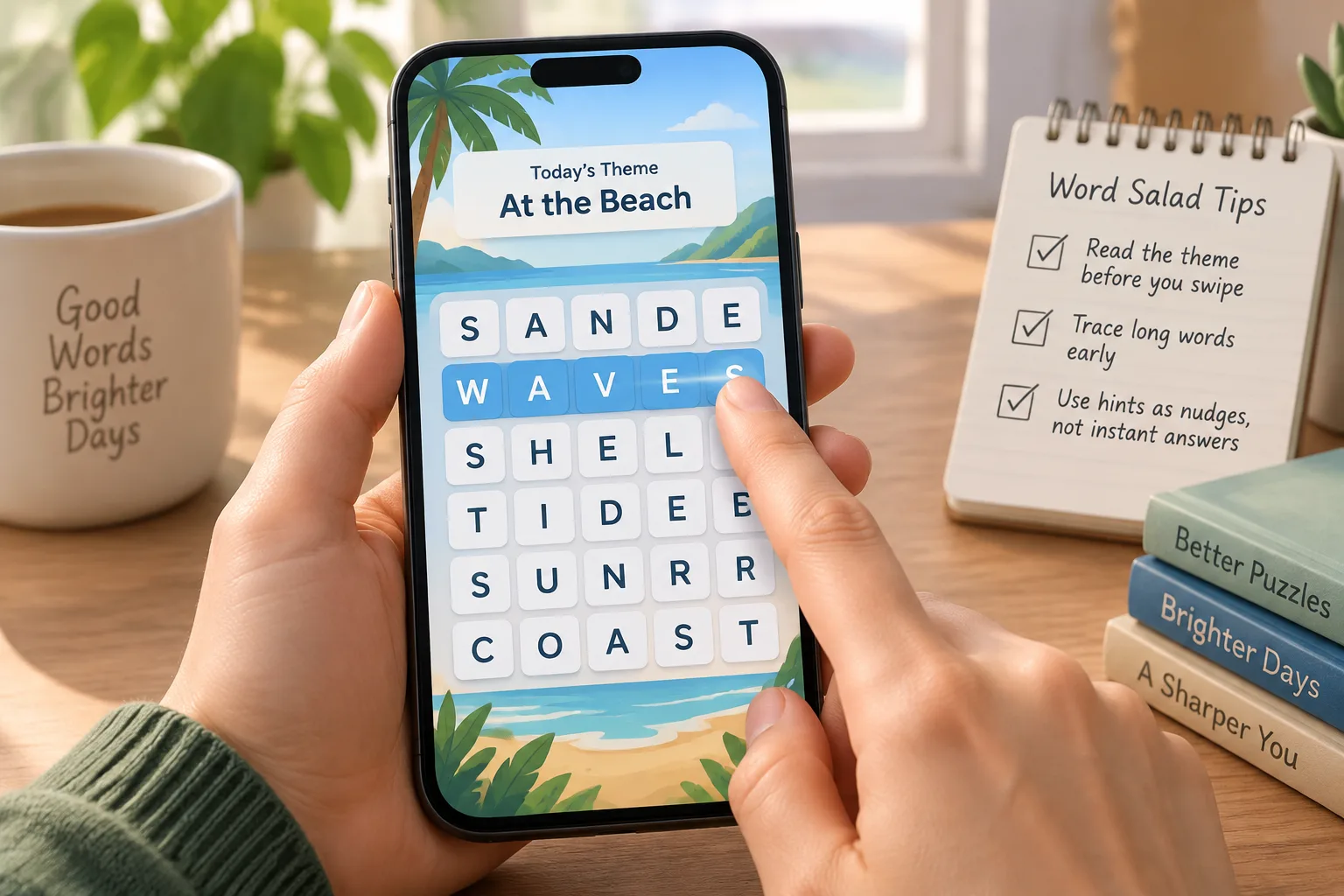
Word Salad is a free daily word puzzle by Bleppo LTD. You swipe across a grid of letters to form words that fit a given theme, and you clear the puzzle by finding the required set of answers. The official App Store listing describes it as a daily puzzle, and the live game runs one main board per day.
The game is available on iOS and Android, and you can play in a browser at wordsalad.online. Each daily puzzle has a number and a theme. The theme is the single most useful clue because it limits the possible words before you even look at the letters. If you are new to the loop, the how-to-play guide walks through the basic swipe mechanic, and the basics page covers platforms and puzzle numbering.
What Are the Verified Mechanics That Make Solving Faster?
Three mechanics are verifiable in the live game and the official listing: every puzzle has a theme, longer words clear more letters and leave fewer tiles, and hints nudge you toward an answer rather than auto-solving it. These are game rules, not folklore—so any tip that contradicts them should be treated as unverified.
| Mechanic | What it means in play | Practical effect |
|---|---|---|
| Theme first | The puzzle always gives a category or theme clue | Scanning the theme before swiping reduces random guesses |
| Long words early | Longer answers clear more letters from the grid | Tracing a 6-letter word removes more tiles than two 3-letter words |
| Hints as nudges | Hints reveal part of an answer, not the whole solution | Using a hint early preserves the rest of the puzzle for you |
The practical translation is simple. Before you touch the grid, read the theme and say it out loud. Then scan for the longest word you can find that fits the theme. Swipe that word. With more letters gone, the remaining short words become easier to see. Only after you have exhausted your own scan should you consider a hint.
Which Word Salad Tips Are Community Experience, Not Official Mechanics?
Community strategies—like solving the top row first or saving long words for last—are player experience, not documented game rules. They can help some solvers, but they are not verified mechanics. Treat them as experiments to test in your own grid, not as guaranteed shortcuts.
For example, a common community suggestion is to start in the top-left corner and work across to scan systematically. Another common suggestion is to hunt for plural endings or familiar suffixes first. Neither approach is confirmed by the developer. The honest way to use these ideas is to try one for a week, track whether your solve feels smoother, and drop it if it does not. The wiki labels these as experience because they have not been verified against the game's code or official documentation.
How Do You Build a Daily Word Salad Routine That Improves Speed?
A repeatable routine beats sporadic practice. Set a consistent time, read the theme aloud, do a 30-second scan for long words, then fill shorter words only after the long ones. Stop and use one hint only when you are stuck for more than a minute.
Here is a routine you can copy:
- Read the theme twice. The first read is for the category; the second is for possible word shapes.
- Do a 30-second long-word scan. Look for five-, six-, or seven-letter combinations that fit the theme.
- Swipe the longest word you found. Clear letters before you chase short words.
- Work from the edges inward. Tiles on the border are often easier to trace without crossing your own path.
- Set a one-minute stuck rule. If you have not found a new word in a minute, use one hint as a nudge.
- Review the completed grid. After the puzzle ends, note the theme and the word lengths. This builds pattern recognition for future days.
Consistency matters more than raw speed. Do not chase average solve times or streak benchmarks—those numbers vary by player and are not verified game mechanics. Focus on completing the daily puzzle with a clear process.
How Should You Use Hints Without Spoiling the Puzzle?
Use a hint as a nudge when you are genuinely stuck, not as a first move. Hints reveal part of an answer, so spending one early can flatten the challenge and reduce the learning you get from the grid. Treat them as a last resort.
The best time to use a hint is after you have already found several words and the remaining tiles feel like noise. At that point, a nudge can unblock you without solving the whole board. If you use a hint immediately, you lose the chance to train your own theme-to-word mapping. Treat hints like a spare tire: useful when you need them, but not the first thing you reach for.
Exact hint availability can change with game updates. Check the live game for the current hint rules rather than relying on a fixed number from an old screenshot.
How Does Theme-Word Logic Change Your Approach?
Every Word Salad puzzle has a theme, and the theme narrows the possible words. Once you identify the category—animals, food, places—you can predict word shapes and endings, which makes swiping targeted instead of random. That is the highest-leverage habit in the game.
For example, if the theme is "fruit," you can mentally list common fruit words and their letter patterns before you swipe. If the theme is "verbs of movement," you might look for -ing endings or short action words. The theme turns a letter search into a category search. This is why the first tip on this page is always "read the theme first." It is the highest-leverage habit in the game.
You can study theme families over time by browsing the puzzle archive. Seeing which categories repeat and how they are worded helps you predict the type of answer the grid expects.
How Can the Archive and Daily Answers Help You Improve?
The Word Salad archive and dated answers pages let you study past themes and word lengths without spoiling today's puzzle. Reviewing finished puzzles builds pattern recognition for categories and common letter combinations. Use them as a study tool, not a spoiler feed.
Pick a past date, look at the theme, and try to solve it without checking the answer. Then compare your solution to the recorded one. Over a few weeks, you will notice which themes trip you up and which letter patterns you consistently miss. That is deliberate practice, and it is more effective than replaying the same daily grid.
What Are the Most Common Word Salad Questions?
The most common Word Salad questions are about getting better, handling long words, hint limits, streaks, platforms, and what to do when you are stuck. The answers below stick to verified mechanics and label community experience clearly. No spoilers for today's grid.
How can I get better at Word Salad?
Get better by building three habits: scan the theme before swiping, trace long words early because they clear more letters, and treat hints as last-resort nudges. Practice with past puzzles in the archive instead of replaying only today's grid.
What is the best Word Salad strategy for long words?
Trace long words as early as you can. Longer answers remove more letters from the grid, which leaves fewer tiles and makes the remaining short words easier to spot. If two long words are possible, try the one that uses the most awkward letters first.
Are Word Salad hints unlimited?
The game offers hints, but their exact availability can change with updates. Check the live game for the current hint rules; this wiki does not publish hint limits as fixed facts. Use hints as nudges and only after you have made a genuine attempt.
Does Word Salad have a streak or average solve time I should chase?
The game tracks your daily play, but this wiki does not publish average solve times or streak benchmarks because those numbers vary by player and are not verified game mechanics. Focus on your own consistency and completion process rather than external averages.
Can I play Word Salad on desktop?
Yes. Word Salad is available on iOS and Android, and you can play in a browser at wordsalad.online. The browser version uses the same daily puzzle loop, though touch swiping feels different from mouse dragging.
What should I do if I get stuck on today's theme?
Say the theme out loud and list three obvious words that fit it, even if they are not in the grid. Then look for letter clusters that could form those words. If you are still stuck after a minute, use one hint as a nudge, not a solution.
Where Can You Go Next to Keep Improving?
You can keep improving by playing the official daily puzzle and studying past grids in the wiki. For spoiler-light help, start with the how-to-play guide, the basics page, or the archive. Each page is dated and source-checked. Use them as a study loop.
Ready to play? Open the official game at wordsalad.online or download it from the App Store or Google Play. For spoiler-light daily help, start with the how-to-play guide or browse the basics page. If you want to study past themes, the archive is the best place to practice.